Add notes and files to breeding records
3 minute readFree planUpdated September 2026
Add notes and files to dog, puppy, litter, heat, customer, or invoice records in BreedTracker. Share selected notes and documents with families through their buyer portal.
In this stage
Placing puppies
- Add a puppy buyer as a customer
- Create and send a puppy buyer application
- Manage your puppy waiting list and match buyers
- Take a puppy deposit before the litter is born
- Send a puppy invoice and record a deposit
- ProSend puppy contracts for signature or upload signed copies
- Set up a puppy buyer portal
- See what buyers can view in their portal
- How buyers pay invoices and sign contracts
- Track puppy sales and go-home dates
- Add notes and files to breeding records
On this page
Why it matters
- A note lives on the record it is about, so the story is there when you need it.
- A vet letter, a receipt, or a photo sits with the dog, the litter, or the family.
- Share one with a family and it appears in their portal.
Find notes and files on a record
Every dog, puppy, litter, heat, customer, and invoice page ends with a Notes card and a Files card. Select a card to open it. A puppy's notes stay on the puppy, not on the litter.
Add a note
- Open the record and select Notes.
- Select Add note.
- Write it, and drop a file into the box if it belongs with the note.
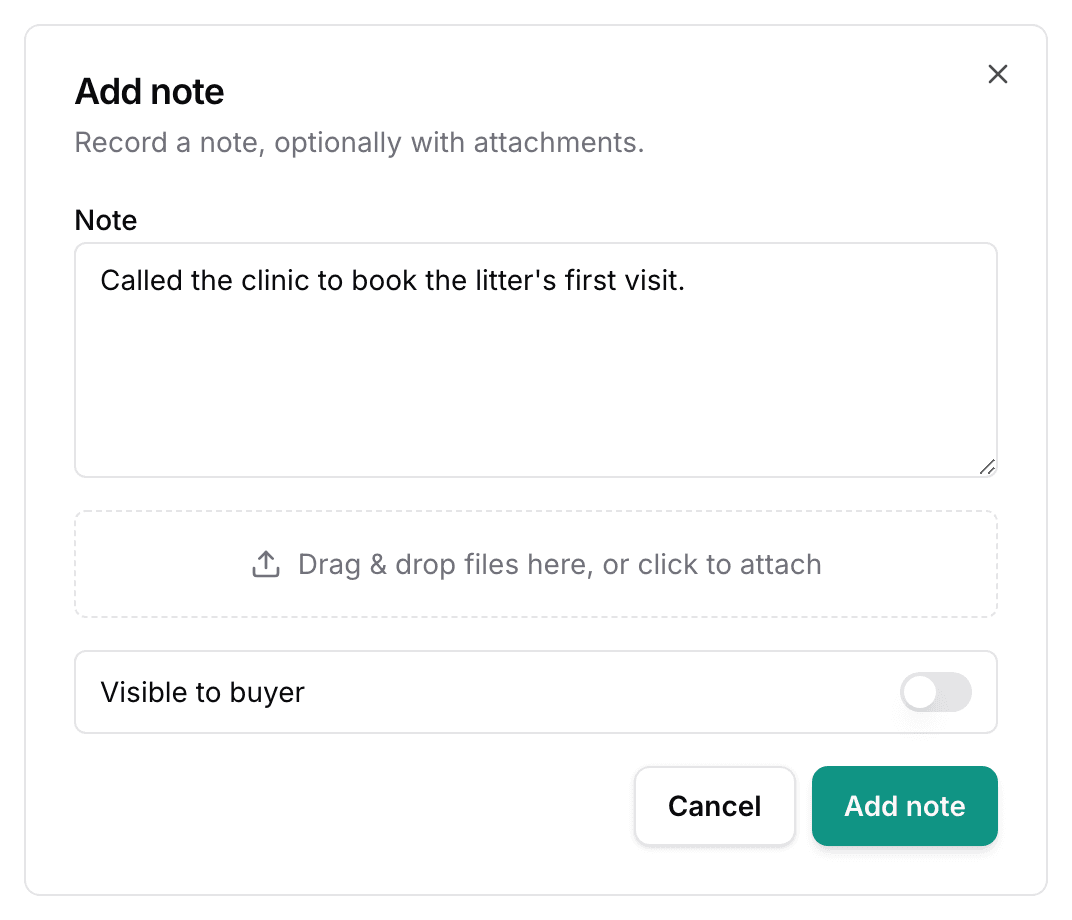
- Select Add note.
Each note shows its date and who wrote it, and Note actions holds Edit and Delete.
Upload a file
- Open Files and select Upload files, or drag the file onto the card.
- Pick the file.
- The row shows its name, its size, and the date.
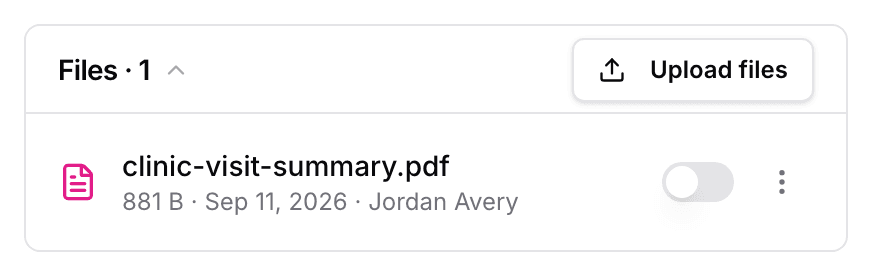
The row's Actions for {name} menu holds Download, Rename, and Delete. A file can be a PDF, a photo, Word, Excel, text, or CSV, up to 25 MB. Rename changes the name your family sees.
Share notes and files with a buyer
- Turn on Visible to buyer on the file.
- Confirm Share with your buyer? with Yes, share it.
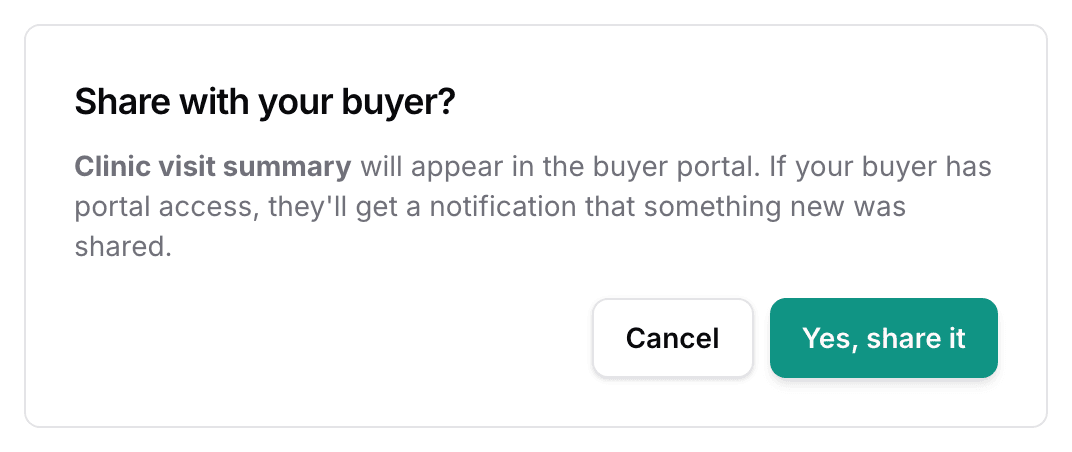
- The family gets one email, and the file appears under Your files in their buyer portal.
For a note, the switch is inside the note. It appears only on a family's own record: their customer page, their invoice, their puppy, and that puppy's litter. Turning it off hides it again without sending a notification.
Delete takes a note or a file off the record, and out of the portal. A note's attached files go with it.
Next
Did this answer your question? If not, we would like to know what you were looking for.
Email support