How buyers pay invoices and sign contracts
3 minute readFree planUpdated September 2026
Buyers can open an invoice or sign a contract from a link without creating an account. This guide explains their payment and signing steps, including what appears in the buyer portal.
In this stage
Placing puppies
- Add a puppy buyer as a customer
- Create and send a puppy buyer application
- Manage your puppy waiting list and match buyers
- Take a puppy deposit before the litter is born
- Send a puppy invoice and record a deposit
- ProSend puppy contracts for signature or upload signed copies
- Set up a puppy buyer portal
- See what buyers can view in their portal
- How buyers pay invoices and sign contracts
- Track puppy sales and go-home dates
- Add notes and files to breeding records
On this page
Why it matters
- You can tell a family exactly what will arrive, and what to press.
- Nothing they do needs an account or a password.
- Every step leaves a record on the invoice, the contract, and their portal.
How buyers open an invoice
The email you send is the invoice itself, from you, with your contact details on it. There are no buttons on it and no link to follow. The one line about money asks them to contact you directly to arrange payment.
Buyers can also view the invoice on a public page. On the invoice, Copy public link under Actions gives you a link to share. Their portal carries the same one. It opens with no sign-in, and shows From, Bill To, the items, and an Amount due panel. That panel reads Left to pay once anything has been paid. Under the items, Paid shows what they have paid, and Reductions anything you took off.
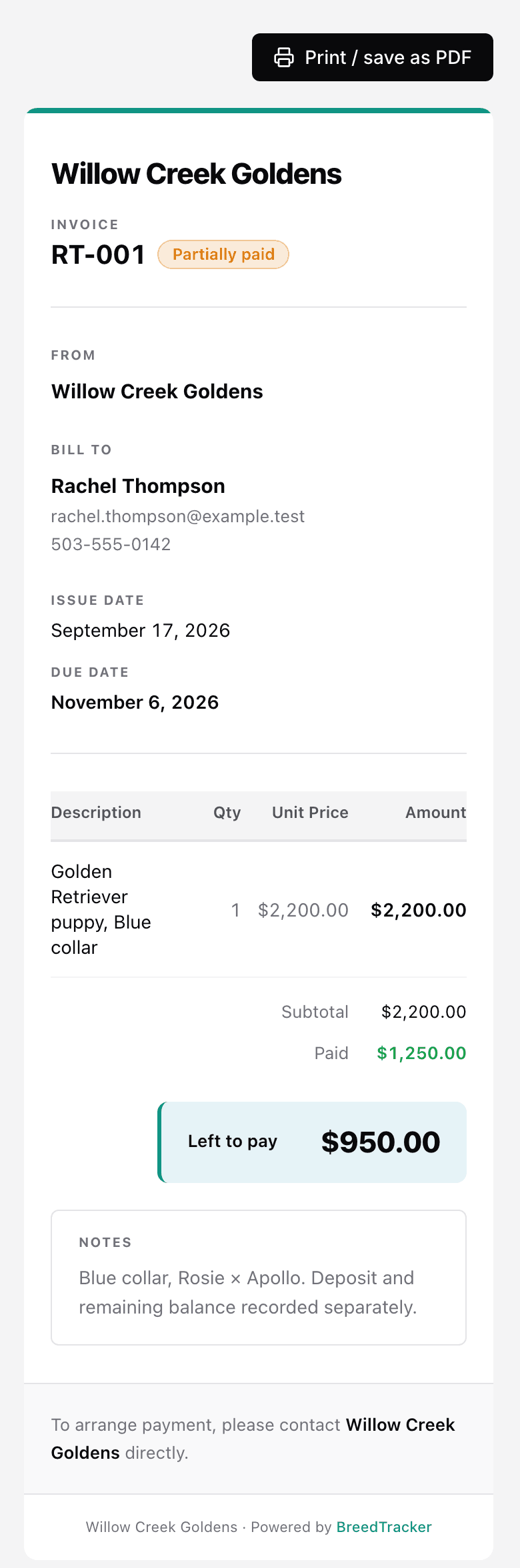
Print / save as PDF, at the top and the bottom, gives them a copy for their records. When you record a payment by hand, no email goes out. The page shows what is left to pay when they next open it. It reads Paid after full payment, so tell them their payment arrived.
How buyers pay an invoice online
- They open the invoice page from the link you gave them.
- They select Pay the full amount, or Pay a different amount and enter one.
- They pay by card or US bank account, on Stripe's own page.
- They land back on the invoice, which reads Payment received. Thank you.
If part of what is left is already being paid, the button reads Pay the rest instead.
You choose whether to accept online payments. Open Settings, then Payments: the Online payments card holds the Accept online payments switch. With it off, the invoice page asks them to contact you instead. Stripe emails the receipt to the address on their record.
How buyers pay a payment request
A deposit or payment you request for a puppy arrives by email, with a link to its payment page. No sign-in is needed.
The page is headed with the puppy's name, or Your {breed} puppy before one is chosen. It lists Price, Fees and tax, You've paid, and Left to pay.
The Payment request card shows Requested: {amount} · due {date}. With online payments on, they enter a Payment amount and select Pay online. They pay by card or US bank account on Stripe's page. They can pay part of it now and the rest later.
Below it, Invoices lists each invoice with its Invoice total, Reductions, and Paid. Payment history lists each payment and refund. In their portal, View payment request and history opens the same page. The payment records itself on the family's Puppies card, so you do not enter it again. A bank payment shows as processing until it clears.
With online payments off, the page asks them to contact you. Record what they pay with Record payment on their Puppies card. See Take a puppy deposit before the litter is born.
How buyers sign a contract
- You sign first. Their email then arrives, naming your kennel and the contract, with Review & sign on it.
- The signing page opens under your kennel name, with the contract on it.
- They sign in the frame, and You're all set! confirms it.
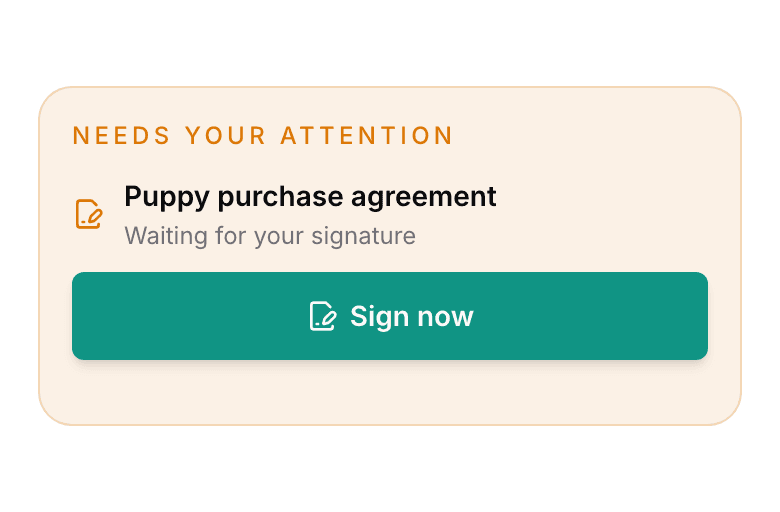
- Their portal carries the same contract while it waits, under Sign now.
The signed copy lands in their files, and on the puppy's record for you. See Send puppy contracts for signature or upload signed copies.
Find invoices and contracts in the buyer portal
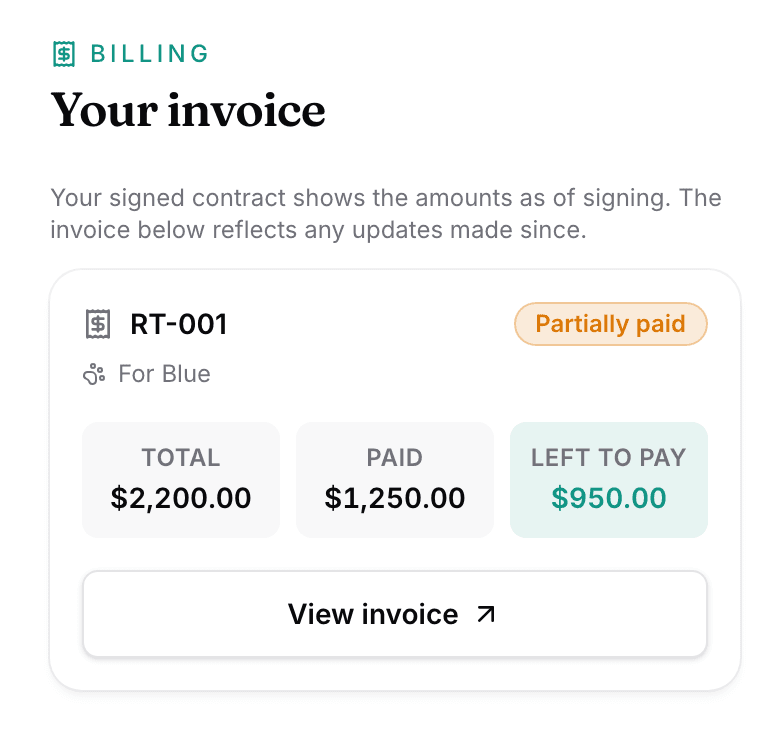
Needs your attention sits at the top whenever something is waiting on them. An unsigned contract shows there with Sign now, and an open invoice with View invoice. That button reads View & pay invoice when they can pay online.
Your invoice lists what you have billed, each with Total, Paid, and Left to pay. The heading reads Your invoices once there is more than one.
Your files holds the signed contract and anything else you share, each with Download. A family can read, download, sign, and pay. Nothing there can be edited or deleted by them. See Set up a puppy buyer portal.
Next
Did this answer your question? If not, we would like to know what you were looking for.
Email support