Read your dashboard
3 minute readFree planUpdated September 2026
Your BreedTracker dashboard shows records needing attention and dated work for the week. Open Revenue and Breeding for the totals and timelines built from your records.
In this stage
Getting set up
- Set up your kennel and breeds
- Add your dogs
- Add a pedigree
- ProImport a pedigree certificate
- Record health clearances
- Check a pairing: COI and clearances
- Read your dashboard
- Understand Needs Attention
On this page
Why it matters
- One screen says what needs doing today, and what is coming this week.
- Every row is built from records you already keep, so there is nothing to set up.
- It only reminds you about practices your records show you follow, so it never grades your program.
Find your dashboard actions and totals
BreedTracker opens here and greets your kennel by name. Beside the greeting are three quick actions: Log weight, Record heat, and Log health. On a phone the last two fold into Quick actions.
A family who writes in from your litter page appears in a band above the tabs. It counts the families waiting to hear back, and it stays until you answer them. See Share a litter page with your buyers.
Under the greeting are three tabs: Overview, Revenue, and Breeding. Overview is the working screen, and it opens with three tiles.
- Monthly Revenue: covers the last twelve months.
- Available Puppies: counts the puppies listed, and how many are reserved.
- Outstanding: the money still owed to you.
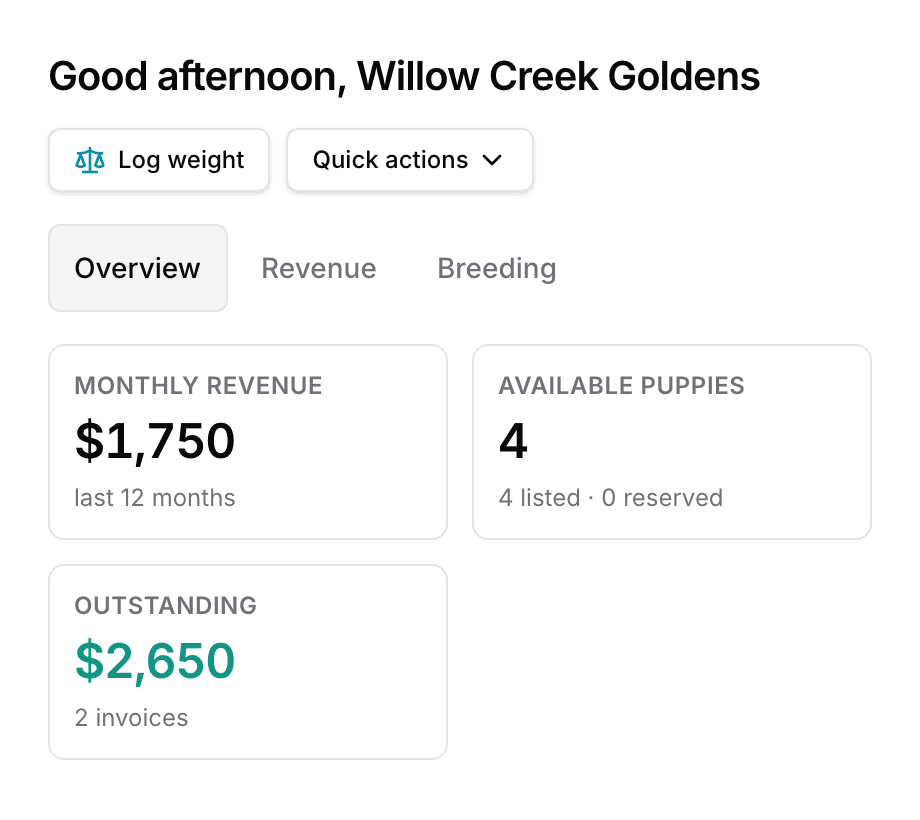
Below the tiles sit the two panels this guide is about: Needs Attention and This Week. Both are on every plan.
Needs Attention
The panel lists records needing attention, most urgent first. Each row names one task.
- The pill on the left ranks the row. Critical is today's work, Soon is the rest. On a phone the rows become cards, and a red dot marks the critical ones.
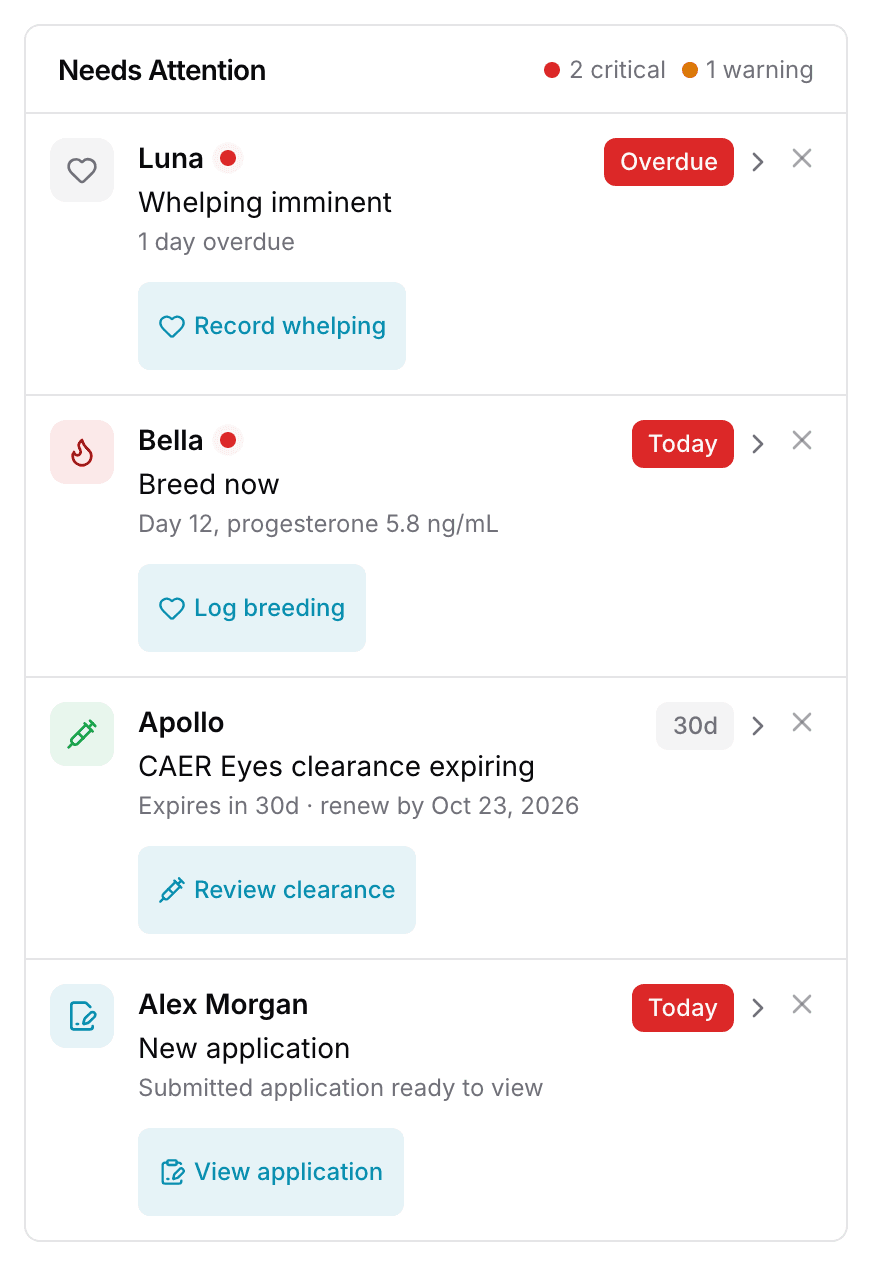
- The row names the dog, what needs doing, and when it is due.
- The button at the end opens the next action, such as Record whelping or Review clearance.
- The X asks you to confirm, then hides the row for a while. A message appears with Undo, which brings it straight back.
A third pill, Upcoming, marks the gentlest kind, such as an application waiting to be read.
These records can trigger a Needs Attention reminder.
| It watches | And speaks up when |
|---|---|
| Heats | And speaks up whenA female is in season, with the day and the last progesterone reading |
| Whelping | And speaks up whenA litter is due within seven days, or is past its date |
| Clearances | And speaks up whenA required clearance expires within 60 days, or has expired |
| Fading puppies | And speaks up whenA puppy in a nursing litter has stopped gaining weight |
| Weights | And speaks up whenA nursing litter has gone a week with no weights recorded |
| Checklists | And speaks up whenAn item on a litter's checklist is past its date |
| Contracts | And speaks up whenOne waits on your signature, waits on the buyer, or is close to expiring |
| Deposits | And speaks up whenA family was matched to a puppy over a week ago, and nothing is paid toward it |
| Going home | And speaks up whenA puppy is paid in full and past its go-home date, but not marked went home |
| Applications | And speaks up whenA family has sent an application you have not opened |
The weights reminder appears only once you have recorded weights before. A kennel that does not weigh puppies is never asked about it.
Dismissing a reminder hides it temporarily. The row comes back if the record still needs attention. When there is nothing left, the panel reads All clear!
This Week
This panel sits beside Needs Attention and runs Monday to Sunday. It carries the dated work.
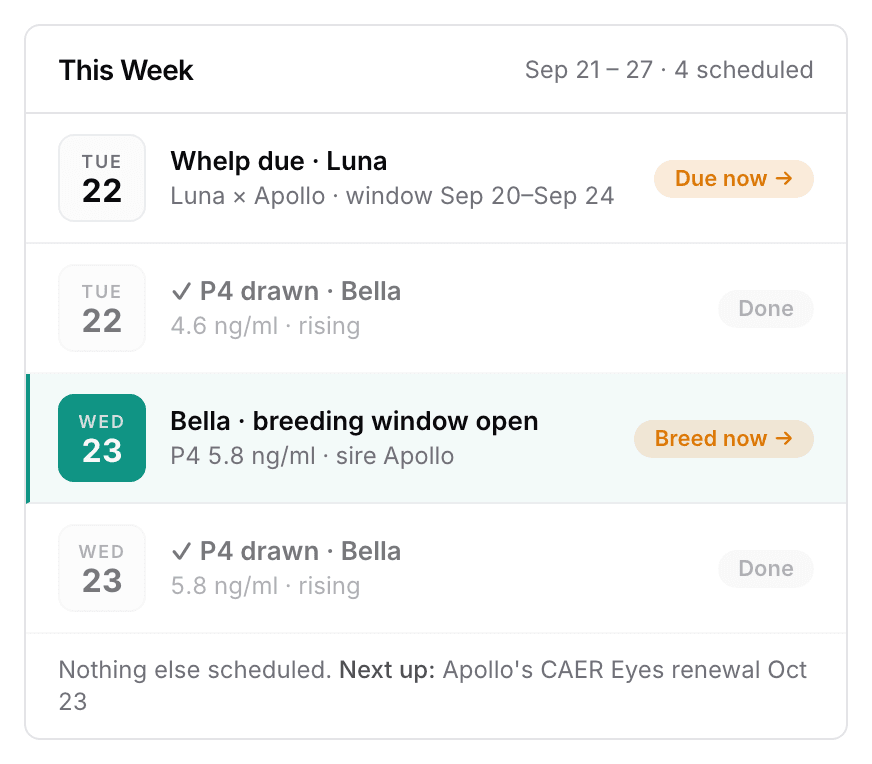
Progesterone draws, the breeding window, Whelp due, Go-home day, and clearance renewals each land on their day. The chip at the end of a row is the action, such as Breed now or Prep. Next up names the first commitment past Sunday. An empty week reads Nothing scheduled this week.
A fact lives in one place. A due date sits here until it is late, and then it moves to Needs Attention.
Open the Revenue and Breeding tabs
Revenue holds the money: what you collected, what is Outstanding, and Money Owed family by family. Revenue over time is charted under them.
Breeding holds Active Heats, Next Available, and the Kennel Reproductive Board. The board puts every breeding female on one timeline. Neither tab asks you to enter anything, and both read what your records already say.
Next
Did this answer your question? If not, we would like to know what you were looking for.
Email support