Understand Needs Attention
3 minute readFree planUpdated September 2026
BreedTracker’s Needs Attention panel flags records that need review or an update. Check each reminder’s trigger, follow its action, or dismiss it temporarily.
In this stage
Getting set up
- Set up your kennel and breeds
- Add your dogs
- Add a pedigree
- ProImport a pedigree certificate
- Record health clearances
- Check a pairing: COI and clearances
- Read your dashboard
- Understand Needs Attention
On this page
Why it matters
- It turns your breeding program's own data into actionable insights.
- Each row offers an action to review or update the record.
- A row you dismiss comes back on its own if it still applies.
Read each Needs Attention reminder
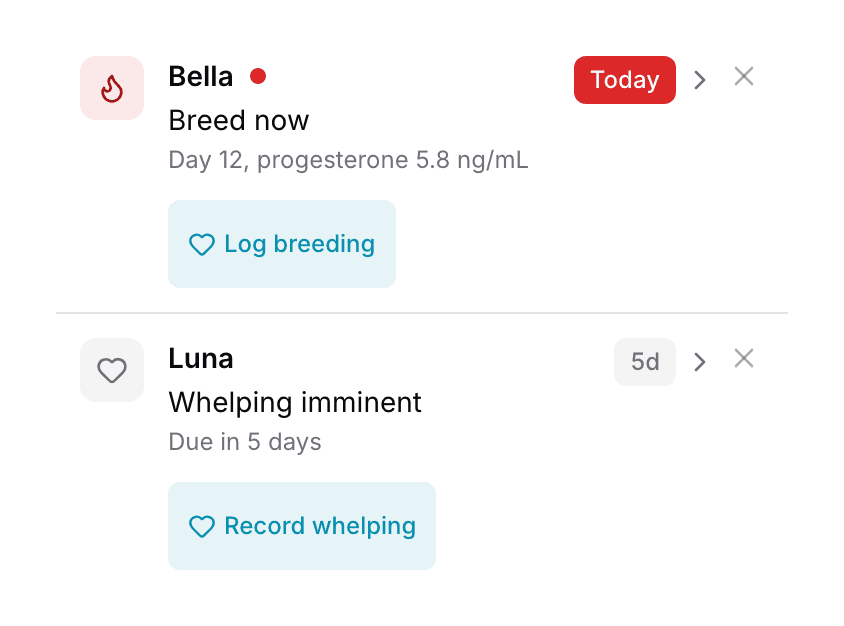
Twelve rules check your records, and each creates its own kind of reminder.
| Row | When it appears | Action |
|---|---|---|
| New application | When it appearsA family has sent an application you have not opened | ActionView application |
| Breed now Breeding window approaching Past fertile window · confirm with vet Active heat cycle | When it appearsA female is in season, with the title set by the latest progesterone reading or the day of the heat | ActionLog breeding, Log P4, or Review heat |
| Whelping imminent | When it appearsA litter is within seven days of its due date, or past it | ActionRecord whelping |
| {label} clearance expiring {label} clearance expired | When it appearsA clearance your breed requires is inside 60 days of its date, or past it | ActionReview clearance |
| Fading puppy · not gaining weight | When it appearsA nursing puppy has stopped gaining weight | ActionReview puppies |
| No weights logged this week | When it appearsA nursing litter has gone seven days without a weight | ActionLog weights |
| {n} checklist items overdue | When it appearsA litter checklist has items past their dates | ActionReview checklist |
| Contract not sent yet | When it appearsA contract is waiting on your signature before the family sees it | ActionSign & send |
| Buyer hasn't signed | When it appearsThe family has held the contract five days, by default, without signing | ActionSend reminder |
| Contract expires soon Contract expires today | When it appearsThe signing deadline is inside seven days, by default | ActionExtend |
| Deposit overdue | When it appearsA family was matched to a puppy more than seven days ago, and nothing is paid toward it | ActionReview deposit |
| Paid in full. Did {puppy} go home? | When it appearsA puppy is paid in full, its go-home date has passed, and it is not marked went home | ActionReview puppies |
Dismiss a Needs Attention reminder
- Select the X at the top right of the row, then Dismiss to confirm.
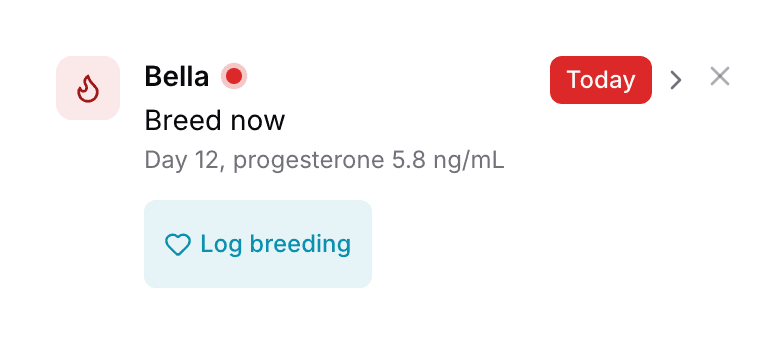
- The row hides for a set time. One day for new applications and three days for most rows. One week for weights and go-home questions, one month for clearances. It returns if the condition still holds.
A reminder clears when its triggering condition no longer applies. A review link may require further action before the reminder clears.
Understand reminder settings and triggers
No weights logged this week appears only once you have recorded puppy weights before. Checklist rows appear only while litter checklists are on. The two contract waits, five days unsigned and seven days before expiry, are yours to change. They sit on the Attention card under Settings, then Contracts. See Contracts. Heat rows end when the heat does.
Next
Did this answer your question? If not, we would like to know what you were looking for.
Email support