Import a pedigree certificate
3 minute readPro planUpdated September 2026
Upload a pedigree certificate as a PDF or photo, and BreedTracker reads up to four generations of ancestors. Review the names and matches before applying the pedigree.
In this stage
Getting set up
- Set up your kennel and breeds
- Add your dogs
- Add a pedigree
- ProImport a pedigree certificate
- Record health clearances
- Check a pairing: COI and clearances
- Read your dashboard
- Understand Needs Attention
On this page
Why it matters
- Uploading one certificate adds four generations at once, quicker and more accurate than typing each ancestor by hand.
- Ancestors already in your records are recognized, so nothing is duplicated.
- The pedigree then feeds the COI estimate when you plan a pairing.
Before you start
Upload a pedigree certificate
- Open the dog and select Actions, then Upload pedigree. The confirmation right after you add a dog offers it too.
- Select Choose file, or Take a photo on a phone.
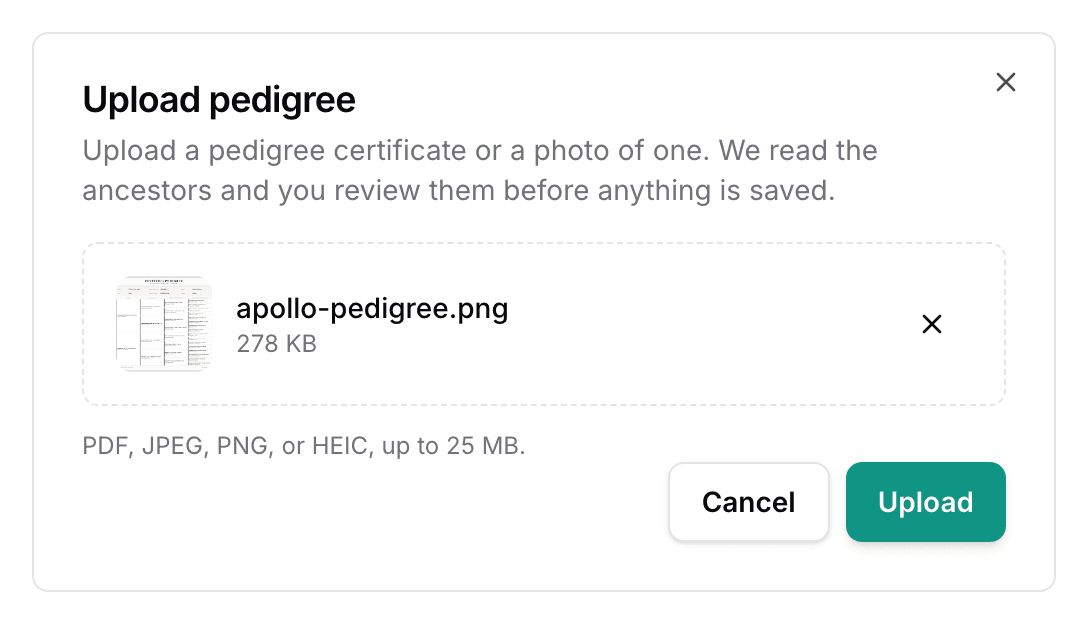
- Select Upload.
The Pedigree tab carries the same button. It reads Review pedigree once a reading is ready.
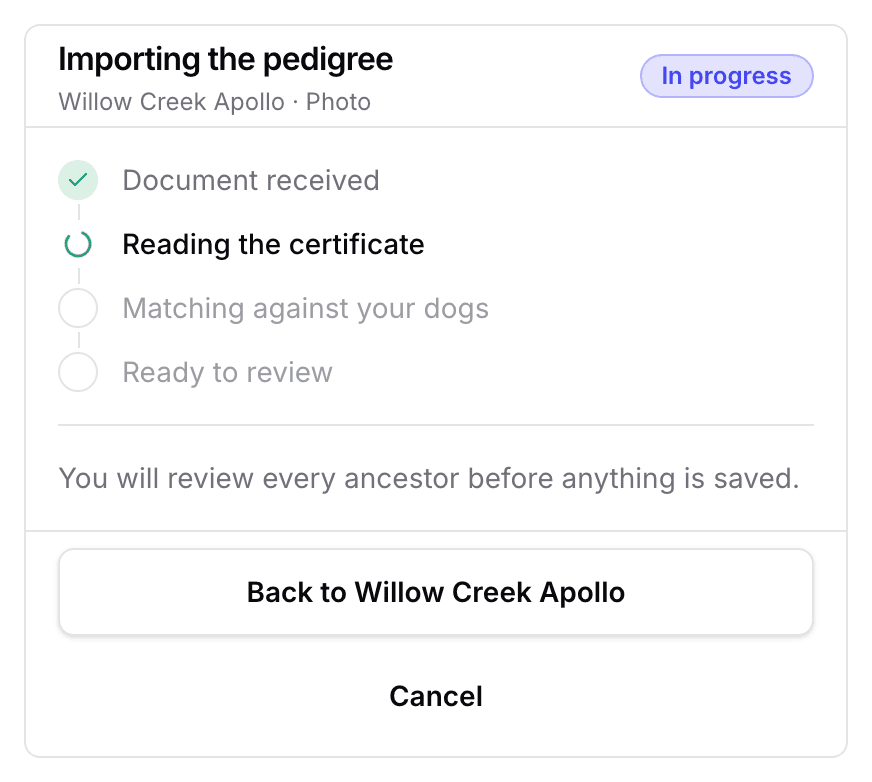
Follow the pedigree import progress
You can leave the page. BreedTracker notifies you when it reaches Pedigree ready to review. Selecting Cancel throws the certificate away and adds nothing.
Review the ancestors
- Read the pedigree, one card per ancestor. Matched means a dog already in your records. New means one that will be added as a pedigree-only dog.
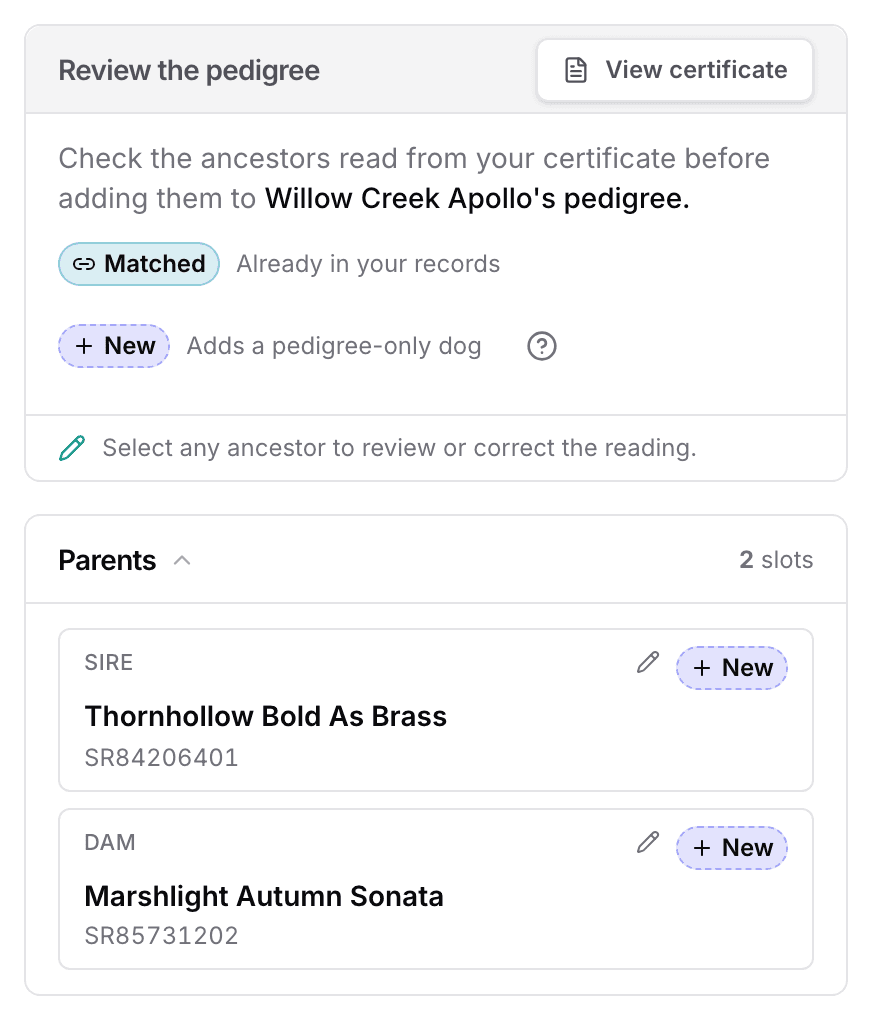
- Select any ancestor to check the reading against the certificate.
- Correct the Name or the Registration number if the reading is off.
- Where two dogs could belong, answer Which dog belongs here?
- Select Apply pedigree.
Nothing changes until you apply the pedigree. A pedigree-only dog is kept for lineage, and it never joins your roster or your stud lists. An ancestor the certificate does not show is left empty, never guessed.
View the imported pedigree
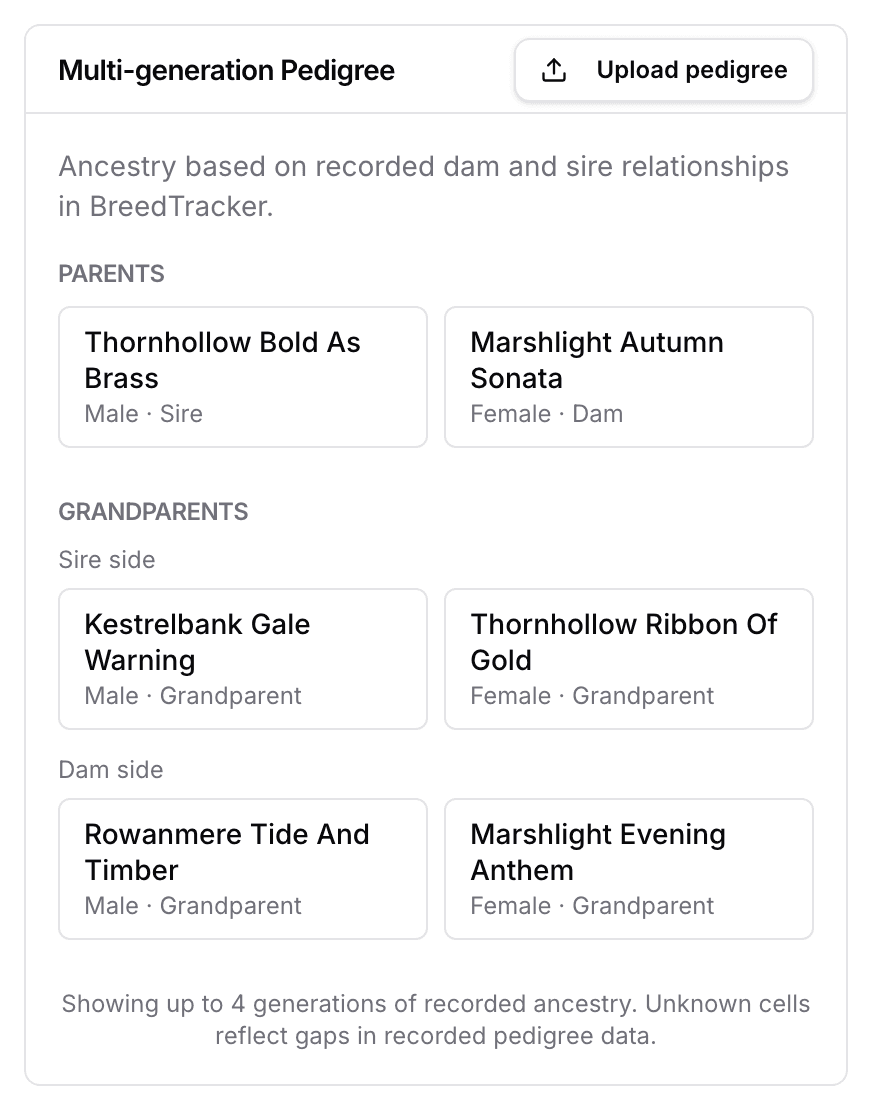
The pedigree on the dog’s page fills to four generations. Nothing else on the dog’s record changes.
Next
Did this answer your question? If not, we would like to know what you were looking for.
Email support