Record health clearances
3 minute readFree planUpdated September 2026
Record OFA, CAER, and DNA results on each dog in BreedTracker, with certificates attached. Review your kennel’s clearance records together and renew expiring tests.
In this stage
Getting set up
- Set up your kennel and breeds
- Add your dogs
- Add a pedigree
- ProImport a pedigree certificate
- Record health clearances
- Check a pairing: COI and clearances
- Read your dashboard
- Understand Needs Attention
On this page
Why it matters
- Every OFA, CAER, and DNA result lives on the dog, with its certificate attached.
- One page shows who is clear to breed, and which certificate to chase.
- A clearance close to its expiry reaches your dashboard before it lapses.
Record a health clearance
- Open the dog and select the Health tab.
- Under Breeding Clearances, select Add on that test's tile. A tile that already holds a certificate offers Renew instead.
- Choose the Test and the Exam date.
- Enter the Grade or Result, and the Certificate number.
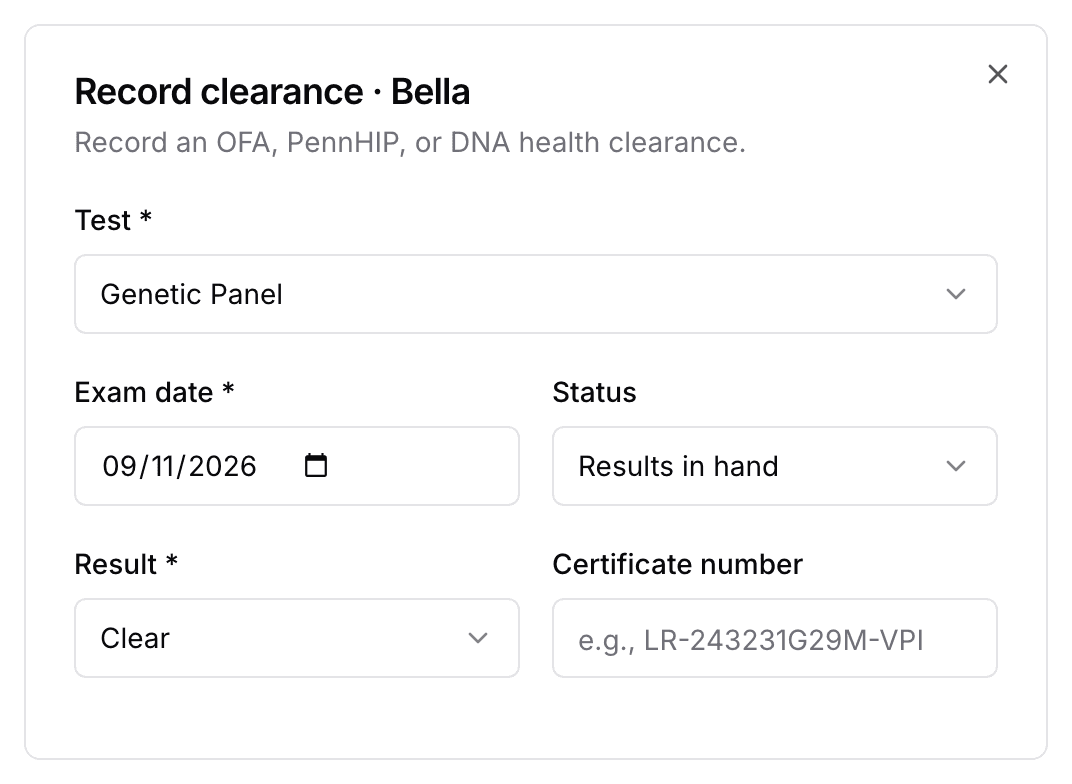
- Attach the certificate with Attach certificate (PDF or photo) if you have it.
- Select Record clearance.
Typing an OFA certificate number fills in the test and the grade for you. Hips and elbows are graded, so that box reads Grade there and Result everywhere else.
Log health on the dashboard is for routine vet care, not for clearances.
Record pending OFA results
OFA results often arrive one to three weeks after the exam. On the day of the exam, choose Awaiting OFA results under Status.
- The Health Clearances page lists the dog under Awaiting OFA results, with Enter results on the row.
- Record clinic day, at the top of that page, records one clinic visit for several dogs at once.
Review health clearances across your kennel
Open Dogs and select Health clearances at the top of the list. Each breeding dog gets a row, and each clearance its own column. The columns are the ones your breed's parent club expects, so they differ by breed.
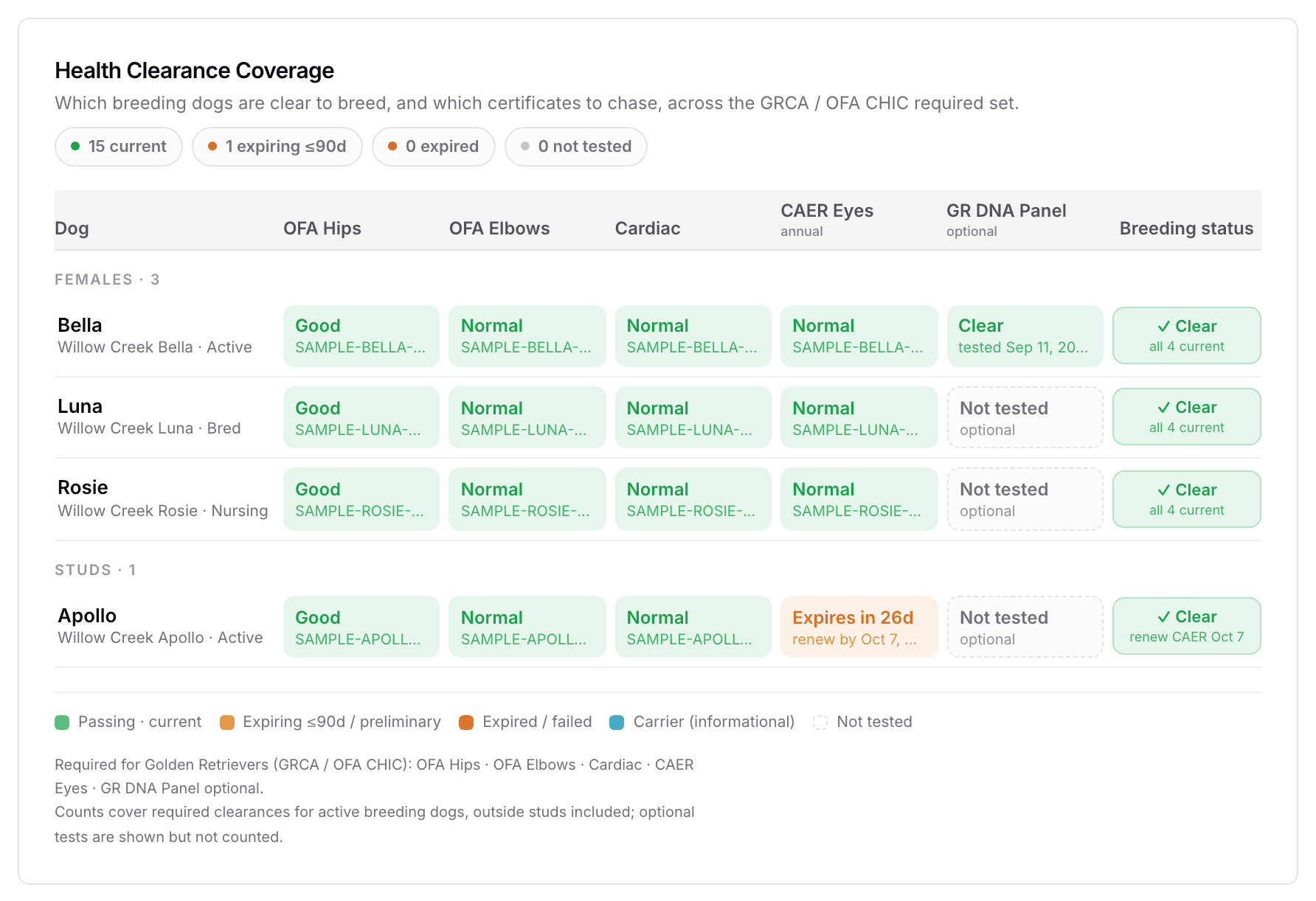
Green is current, and amber is close to expiring. Red is expired or failed, a dashed box is not tested, and blue marks a carrier. A carrier is information, not a failure. The last column, Breeding status, reads the whole row for you. Select any cell to record that test, or to renew it.
Renew an expiring health clearance
A clearance with an expiry date, such as an annual eye exam, turns amber ninety days out. Inside the last sixty days your dashboard reads clearance expiring, with Review clearance on the row. Renew on that dog's tile records the new exam.
Next
Did this answer your question? If not, we would like to know what you were looking for.
Email support