Record whelping and puppy birth details
3 minute readFree planUpdated September 2026
Record whelping to create each puppy's record with its birth weight. One form holds the birth date, litter counts and puppy details.
In this stage
Expecting a litter
- Create a litter from a recorded heat
- Identify your puppies
- Record whelping and puppy birth details
- Log temperatures before whelping
- Record puppy weights and read the growth chart
- Understand puppy weight alerts
- Track litter care with the checklist
- Share a public litter page with buyers
- Understand the free plan litter limit
On this page
Why it matters
- Every puppy gets a page of its own from day one, with its birth weight on it.
- The litter checklist moves its dates onto the real birthday.
- Each puppy record connects its weights, health records, and buyer.
- Your litter page and your buyer portals show the birth the same day.
Before you start
Your Litters list opens on Active, so a litter waiting to be born sits under Pending. Your dashboard raises Whelping imminent in the last week before the dam is due.
Record the litter's birth
- Open the litter and select Record whelping.
- Set the Birth Date/Time. It defaults to the current date and time.
- Enter Born alive and Stillborn. Born alive follows your puppy cards.
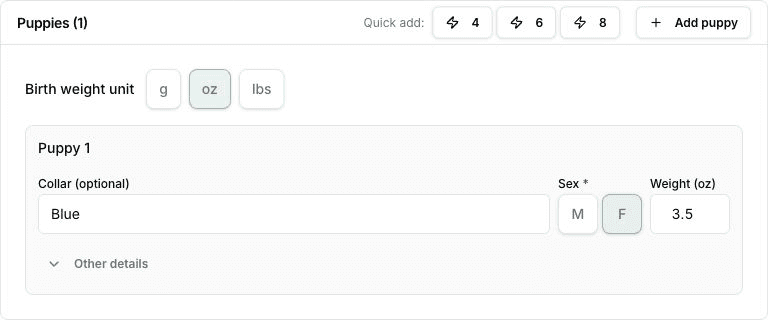
- Add a card for each puppy, or use Quick add for 4, 6, or 8 at once.
- Select Record whelping.
Everything is saved together, so you can fill it in at the whelping box or the next morning.
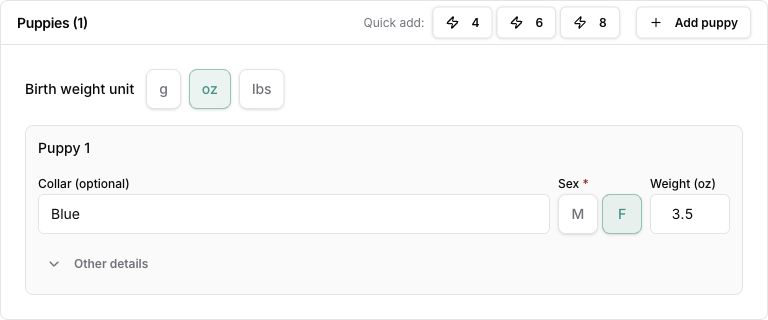
View the birth-weight fields at full size.
Enter each puppy's birth details
Under Birth weight unit, choose g, oz, or lbs for the puppy cards. Each card takes a Sex, a Weight in that unit, and the identification details chosen for this litter. Other details opens the remaining fields. Collars are optional, and their descriptions can include patterns or any wording you use.
The birth weight keeps the value and unit you recorded. You can use a different unit for later weigh-ins without changing that birth record or interrupting the growth chart. Changing the unit of a number already entered converts it to the new unit.
The Puppy identification section lets you choose these fields or reuse a previous setup. See Identify your puppies.
A puppy left without a name receives a reference such as Puppy 1, alongside its identifying details. You can name it later. A puppy you missed is added with Add puppy on the litter's Puppies tab.
Review the litter after whelping
The litter reads Active, with the puppies counted by sex.
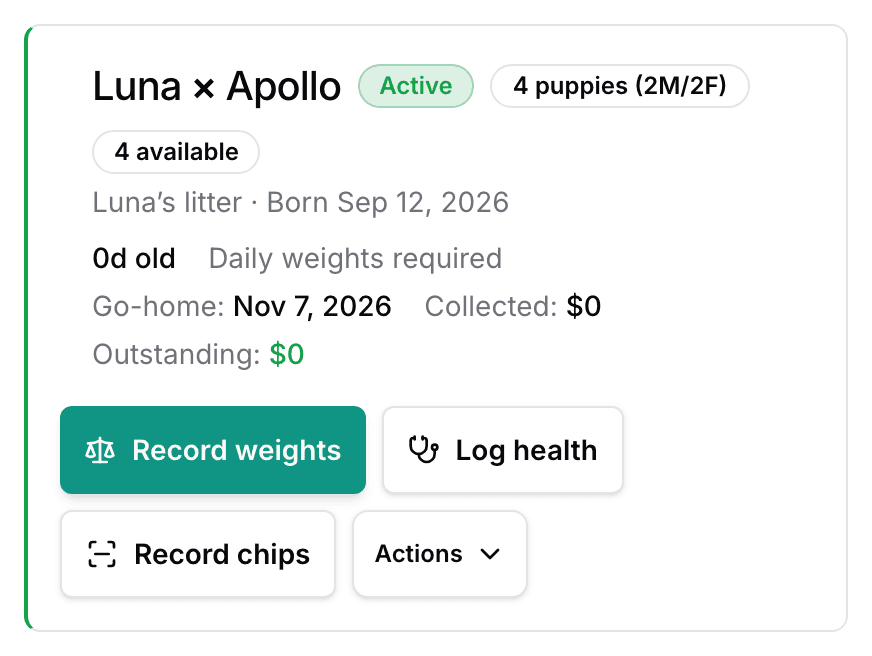
Every puppy now has a page of its own, holding its weights, health records, and buyer. Record weights appears on the litter, ready for the first weigh-in. The Litter Checklist counts its days from the real birthday. First deworming falls on day 14, Go-home paperwork ready on day 56. A wrong date is fixed under Edit litter, and it moves every puppy's birth date with it.
Next
Did this answer your question? If not, we would like to know what you were looking for.
Email support