Identify your puppies
3 minute readFree planUpdated September 2026
Use the words and details that help you tell your puppies apart. Choose a setup for each litter, then record each puppy's own details.
In this stage
Expecting a litter
- Create a litter from a recorded heat
- Identify your puppies
- Record whelping and puppy birth details
- Log temperatures before whelping
- Record puppy weights and read the growth chart
- Understand puppy weight alerts
- Track litter care with the checklist
- Share a public litter page with buyers
- Understand the free plan litter limit
On this page
Why it matters
- Each puppy keeps the identifying details you use at the whelping box.
- Two litters can use different collars or different ways of telling puppies apart.
- A previous set of choices can be reused, while older puppies keep their recorded details.
Before you start
You can also choose identification details while creating a litter or recording its birth. Setup is optional.
Choose details for this litter
- On the litter's Overview, find Puppy identification and select Set up. An existing setup has Change instead.
- Choose Collars, Coat color, Markings, or Identifying descriptions. You can combine them.
- If you use collars, enter your choices under Collar descriptions (optional), one per line.
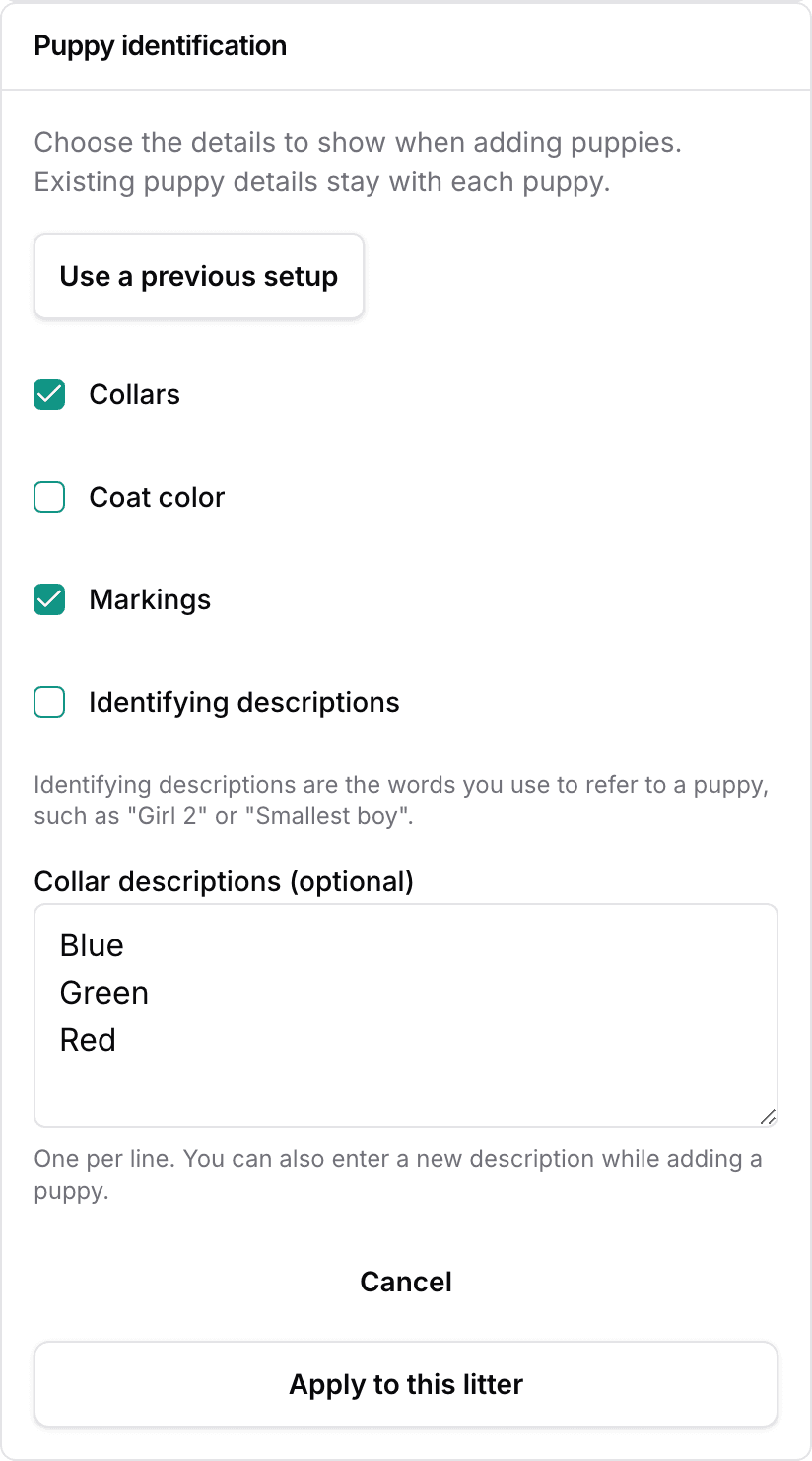
- Select Apply to this litter.
Collars appear as text, such as Blue, Green, or Red.
Coat color describes the puppy's coat. Markings might be White chin or White front paws. An identifying description might be Girl 2 or Smallest boy.
Your choices control which details appear first when adding puppies. During whelping, Other details opens the remaining fields when needed.
Reuse a previous setup
- Open Set up or Change, then select Use a previous setup.
- Use Find a setup to search colors or identifying details, or browse the list.
- Select a row to review its full details and Last used date.
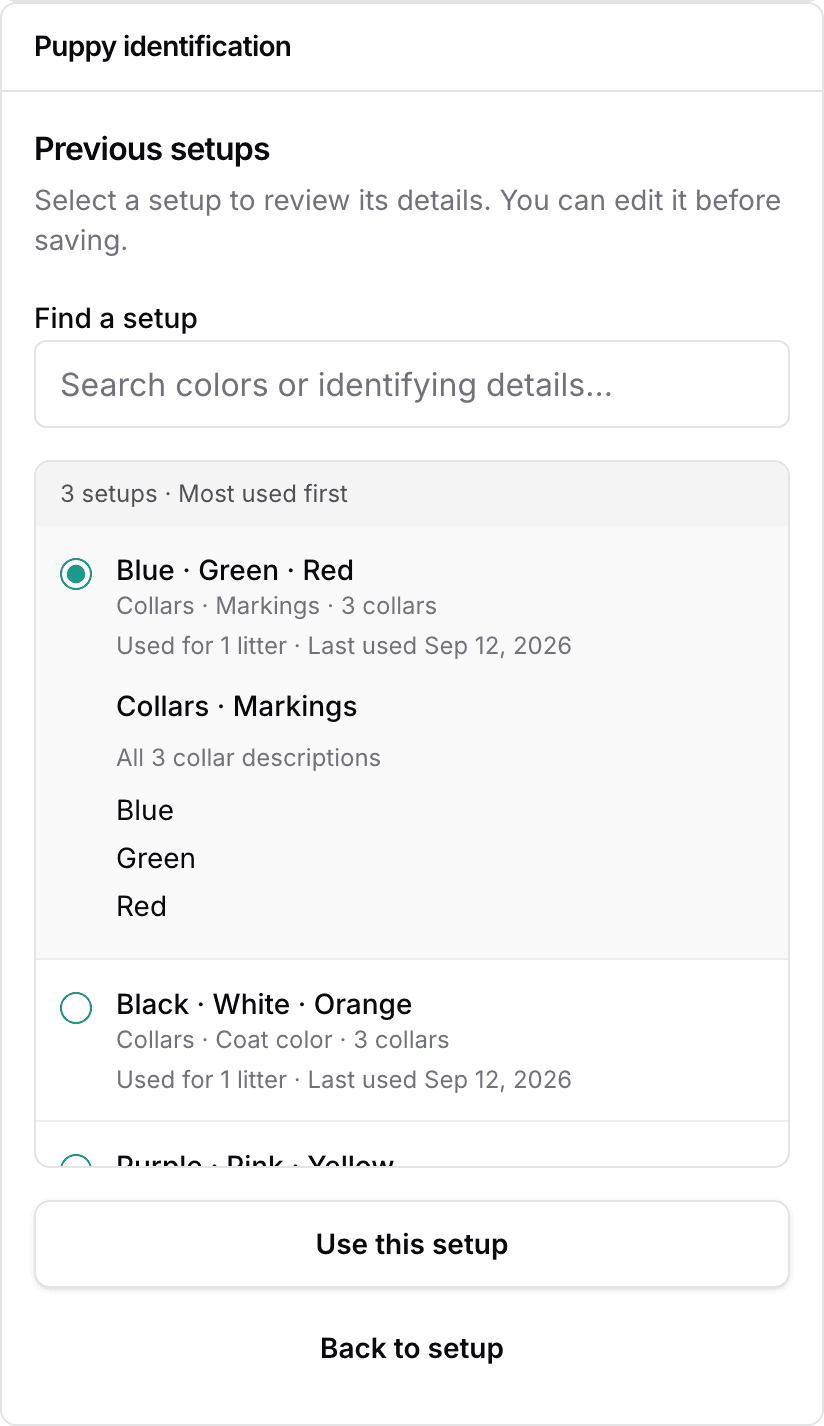
- Select Use this setup to return to the editor. Back to setup keeps your draft unchanged.
- Adjust the choices if needed, then select Apply to this litter.
Frequently used sets appear first. Sets unused for a year leave this list; the puppies' records stay intact.
Enter and update puppy details
When recording whelping, enter each puppy's details on its card. Collar descriptions accept a saved choice or new wording.
Names are optional. A puppy without a name receives a reference such as Puppy 1, alongside its identifying details.
To update a puppy, open its page and choose Actions, then Edit puppy. Open Other identifying details if needed, then select Save changes.
Long descriptions shorten to fit lists. Hover over shortened wording, or focus it with a keyboard, to read the tooltip. Open the puppy's page for its details on any device.
Keep existing puppies' history
Existing collar assignments stay with their puppies as text. There is nothing to re-enter.
Changing the litter's setup changes entry preferences. It leaves each puppy's recorded collars, coat, markings, and identifying description intact.
Next
Did this answer your question? If not, we would like to know what you were looking for.
Email support