Log temperatures before whelping
3 minute readFree planUpdated September 2026
Log each temperature from your phone. BreedTracker keeps the dam's average and tells you when a reading comes in well below it.
In this stage
Expecting a litter
- Create a litter from a recorded heat
- Identify your puppies
- Record whelping and puppy birth details
- Log temperatures before whelping
- Record puppy weights and read the growth chart
- Understand puppy weight alerts
- Track litter care with the checklist
- Share a public litter page with buyers
- Understand the free plan litter limit
On this page
Why it matters
- A temperature drop often comes before labor.
- BreedTracker keeps each reading with the dam's own average, so they are easy to compare over time.
- Some dams never show a drop.
Where the whelping watch appears
- On a pending litter, Whelping watch appears on Overview starting 14 days before the expected whelp date.
- If you have not created the litter yet, the card appears on the dam's own Overview instead. It starts on day 49 after the first breeding.
- Readings logged before the litter existed appear on it without any linking step.
- While a watch is open, Log temp is also in the Quick add menu.
Log a reading
- Select Log temp, the button at the bottom right on a phone.
- Type the temperature. The time is already set to now; select Change to use a different time.
- Tap any signs you see, then select Save reading.
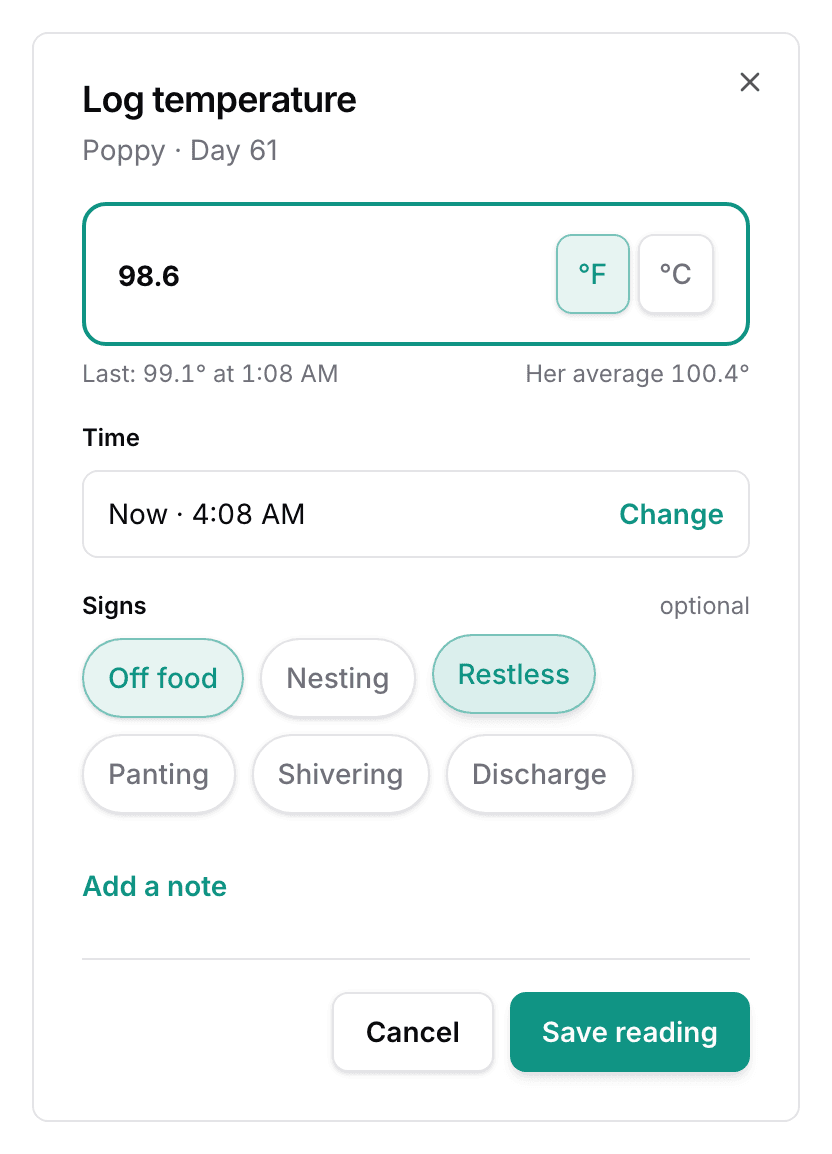
Log another clears the sheet and starts the next reading. °F or °C is a kennel setting, and switching it in the sheet changes it for the whole kennel.
A reading outside the usual range shows a warning. Select Save anyway to keep it.
How the drop is described
- The dam's average uses readings from more than a day and a half earlier, once there are four of them.
- When a reading comes in 1°F or more below that average, the card shows Temperature drop.
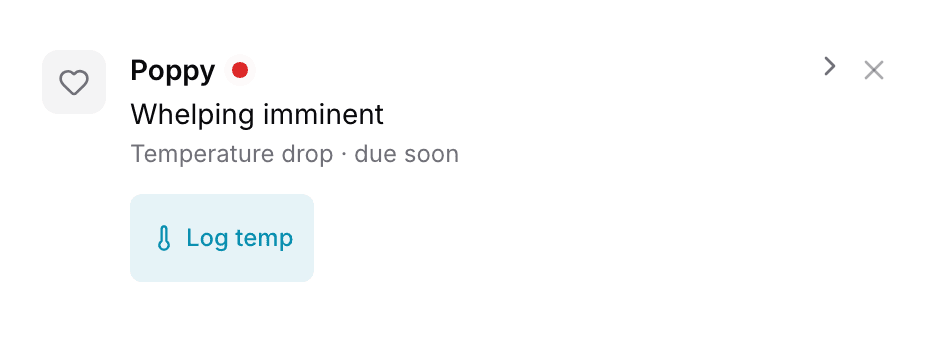
- The same notice shows in Needs Attention as Temperature drop · due soon.
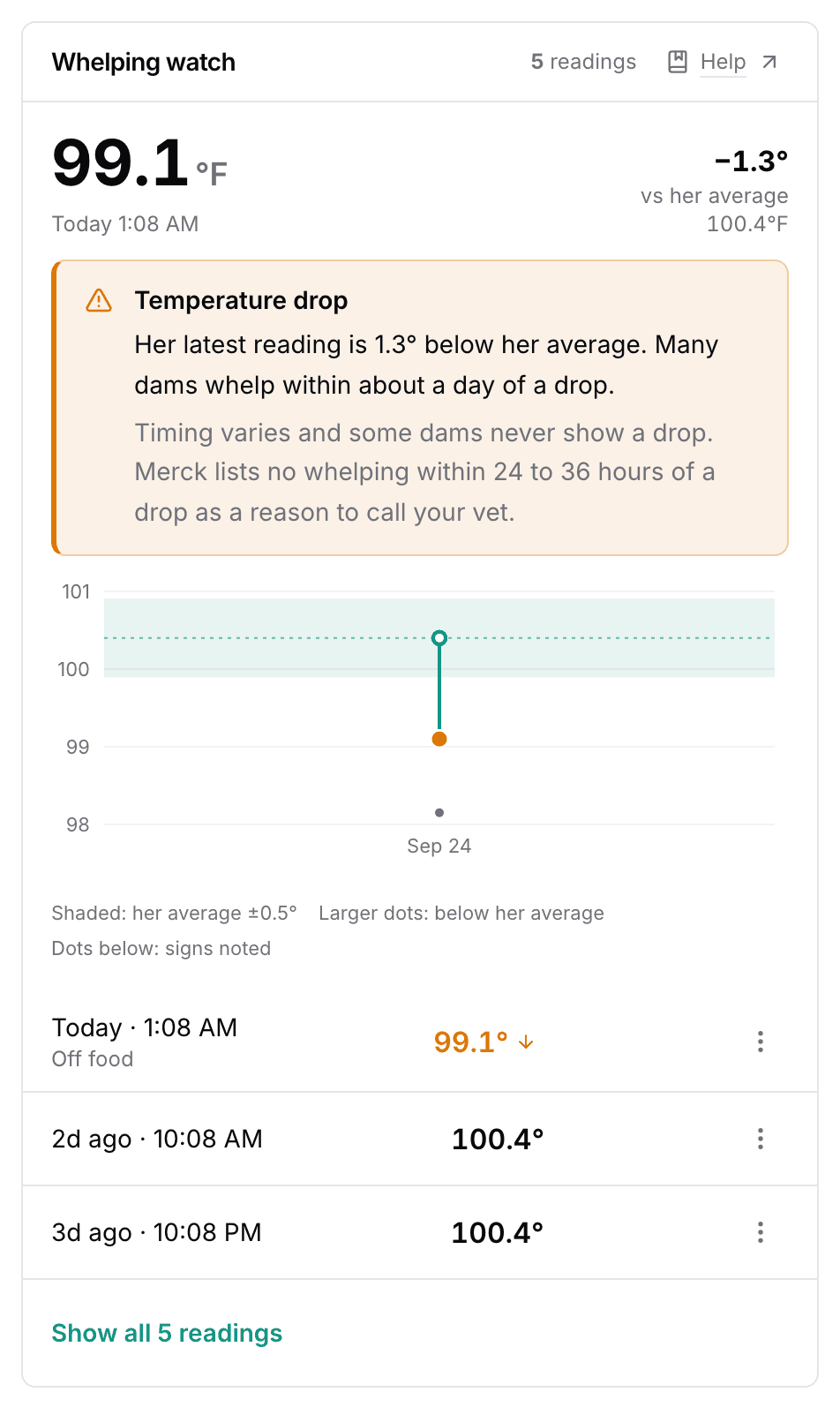
- Not every dam shows this drop, and the app never predicts when whelping will start.
- The Merck Veterinary Manual (opens in a new tab) advises calling your vet if no whelping follows a drop within 24 to 36 hours.
After whelping
For 14 days, the card becomes the dam's temperature card. A reading above 102.5°F shows a notice and a Fever after whelping row in Needs Attention.
Fix or delete a reading
Use ⋮ on the row, then select Edit or Delete.
Next
Did this answer your question? If not, we would like to know what you were looking for.
Email support